
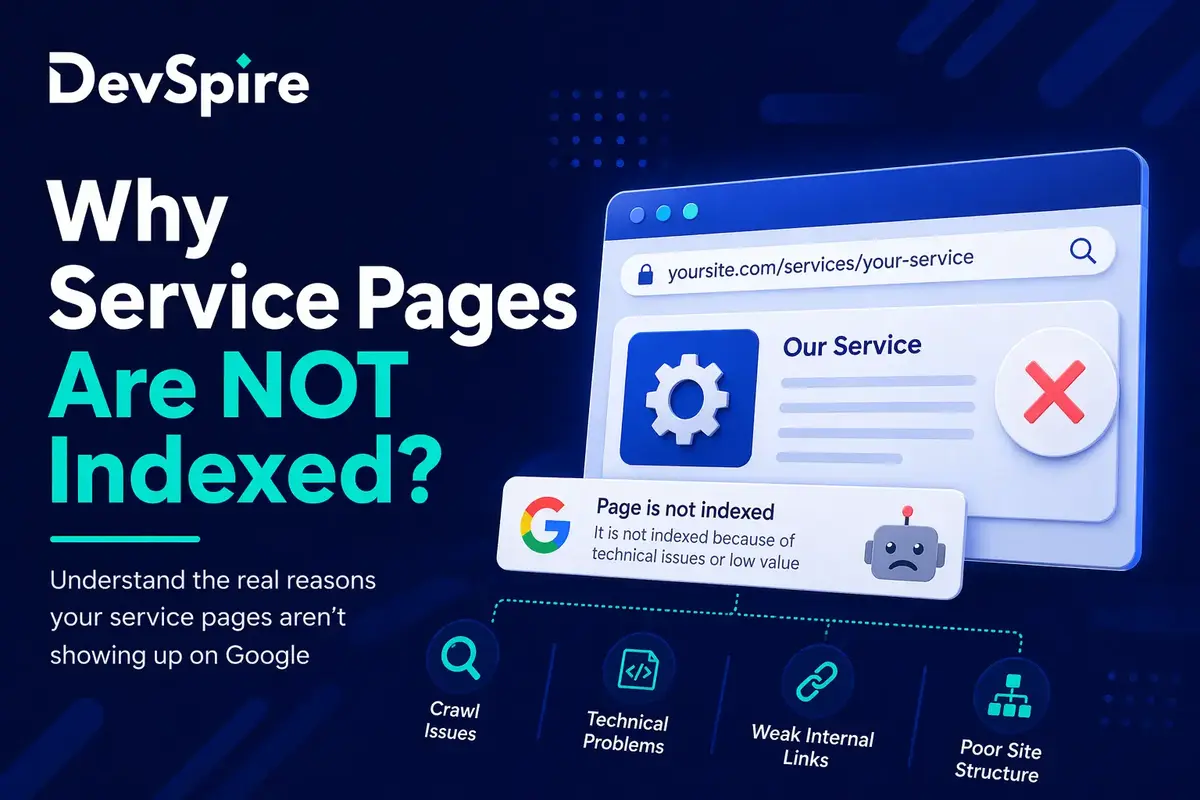
You built the service pages. You added them to the sitemap. You waited. Google Search Console still shows “Discovered, currently not indexed” or “Crawled, not indexed” next to pages you actually need to rank.
This is not a ranking problem. Indexing and ranking are two separate things, and confusing them leads to the wrong fixes. A page that isn’t indexed cannot rank at all. A page that is indexed may still not rank. Both are fixable, but they need different solutions.
If you haven’t mapped out your full service site architecture yet, start with our SEO strategy guide for service websites first. This article goes one level deeper, specifically into why service pages don’t make it into Google’s index in the first place.
The Difference Between “Not Indexed” and “Indexed but Not Ranking”
Cover:
- “Discovered, not indexed” means Google found the URL but chose not to process it. Usually a crawl budget or signal problem.
- “Crawled, not indexed” means Google visited the page but decided it wasn’t worth indexing. Usually thin content or duplicate intent.
- “Indexed but not ranking” means the page exists in Google’s index but isn’t surfacing. That’s a relevance or authority issue, not an indexing issue.
Keep this tight: 120 to 150 words.
Reason 1: Crawl Budget Is Being Wasted on the Wrong Pages
Cover:
- What crawl budget actually is: Google allocates a limited number of crawl requests per site per session. On a multi-service website, parameter URLs, filtered pages, or paginated archives eat up that budget before Google reaches the service pages that matter.
- Common culprits: tag archives, search result pages, filtered URL variants, printer-friendly pages, low-value pagination.
- How to check: Google Search Console Coverage report, log file analysis.
- Quick fix direction: noindex or disallow on low-value URLs, consolidate thin archive pages.
Reason 2: Thin Content Signals Are Killing Indexability
Cover:
- A 200-word service page with a headline, one paragraph, and a contact form does not give Google enough to decide what the page is about or who it serves.
- Google’s crawlers make indexing decisions partly based on content density. A page with no real substance is treated as low quality and deprioritized.
- What counts as enough: not just word count, but the presence of a clear H1, a description of the service, who it’s for, what the process looks like, and at least one content block that differentiates this page from a generic competitor.
- EEAT note from audits: the most common indexing failure on service sites isn’t a technical issue. It’s a content issue disguised as a technical one.
Reason 3: Duplicate Intent Across Multiple Service Pages
Cover:
- When two or more service pages target the same user intent, Google picks one and often ignores the others.
- This is soft duplication. The pages aren’t identical, but they’re answering the same question for the same type of user. Google treats them as redundant.
- Example: a site with separate pages for “web design,” “website design services,” and “custom website design” is likely triggering this problem.
This problem usually starts with not having a clear separation between category pages and service pages. We break that difference down in detail here: category pages vs service pages SEO.
Reason 4: Canonical Confusion and URL Hierarchy Problems
Cover:
- When canonical tags are misconfigured, missing, or pointing to the wrong URL, Google gets conflicting signals about which version of a page to index.
- URL hierarchy issues: service pages that live at /services/seo/local-seo/ versus /local-seo/ with no clear canonical tell Google different things about page authority and relationship.
- Sitemap signals: if a URL isn’t in the sitemap, or if a noindexed URL is in the sitemap, those contradictions slow down or prevent indexing.
- How to check: Search Console URL Inspection, Screaming Frog canonical report.
Reason 5: Orphan Service Pages With No Crawl Path
Cover:
- An orphan page is a URL that exists but has no internal links pointing to it. Google can find it via sitemap, but without link signals it treats the page as low priority and often skips it.
- This is very common on multi-service websites where new service pages get created but never get added to navigation, category pages, or blog posts.
- EEAT signal: in a crawl audit for a 40-page service website, 11 service pages had zero internal links pointing to them. None of them were indexed.
Fixing orphan pages requires a proper internal linking structure. We cover exactly how to build that for service websites in our internal linking guide for service websites.
How to Run a Quick Indexing Audit (Without a Big Tool Budget)
- Open Google Search Console, go to Pages report, filter by “Not indexed.” Note which service pages appear and what reason Google gives.
- Use the URL Inspection tool on your three most important service pages. Check last crawl date, indexing status, and any detected issues.
- Run site:yourdomain.com in Google to see which pages are actually in the index. Compare to your full service page list.
- Check your sitemap at yourdomain.com/sitemap.xml. Confirm all service pages are listed and that none have noindex tags.
- Run a free Screaming Frog crawl (up to 500 URLs). Export the “Orphan pages” report and the “Thin content” filter.
Closing Paragraph
Indexing problems on service websites almost always have a specific cause. The guesswork ends once you know what to look at. For the full architecture picture, refer to our SEO strategy guide for service websites. If you want someone to run this audit for you, book a free consultation.