
If you’ve been trying to build a website and keep going back and forth between WordPress and a fully custom build, you’re not alone. It’s one of the most common questions we hear from business owners, and honestly, the answer isn’t as obvious as most blog posts make it sound.
At Devspire, we’ve built both, for startups, service businesses, and everything in between. So this isn’t a theoretical comparison. It’s based on what actually happens when real projects go live.
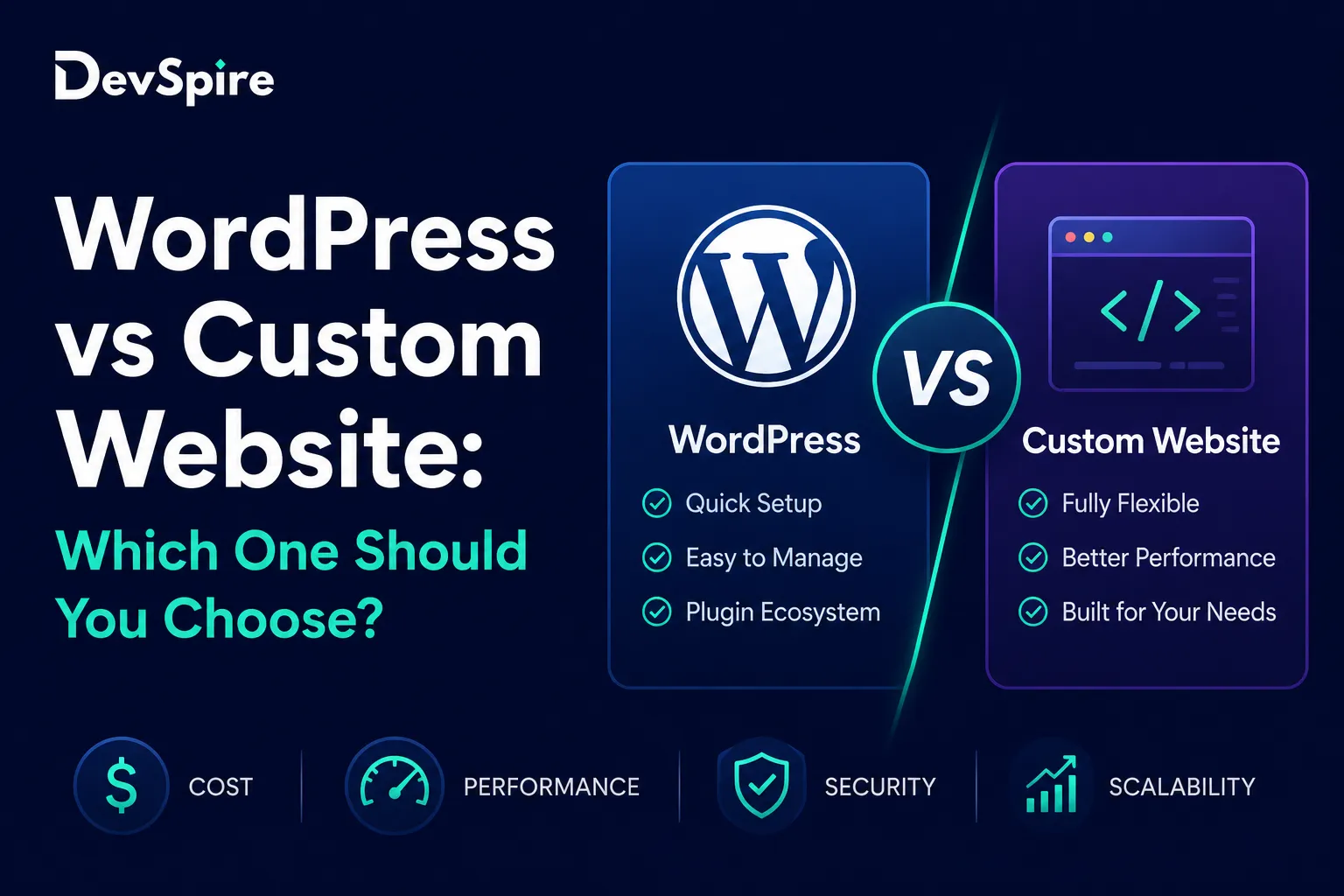
What’s the Difference Between WordPress and a Custom Website?
Before getting into pros and cons, it helps to be clear on what each option actually means.
WordPress is a content management system. You install it, pick a theme, add plugins, and you have a working website. It powers around 43% of all websites on the internet, which tells you it works at scale. “Self-hosted WordPress” means you own the code and control the hosting. That’s the version worth building on.
A custom website is coded from scratch. No theme, no plugin library, no CMS layer unless a developer adds one. It’s written in whatever language or framework fits the project, React, Next.js, plain HTML/CSS, or something more complex depending on what the site needs to do.
The key thing to know: custom doesn’t always mean better. And WordPress doesn’t always mean limited.
WordPress vs Custom Website Pros and Cons
This is where most people want a clear winner. There isn’t one. But there are clear patterns.
WordPress: Pros and Cons
WordPress gets a lot done fast. For most business websites, blogs, portfolios, and local service sites, it covers 90% of what you need without writing a single line of code.
What works well:
- You can launch in days, not months
- Costs are lower upfront, especially if you’re not paying for custom development
- Plugins like Yoast, WooCommerce, and Gravity Forms handle SEO, ecommerce, and forms out of the box
- Non-technical people can update content without touching code
- The support community is massive, so solutions to problems are easy to find
Where it gets tricky:
- Too many plugins slow the site down and create security gaps
- Shared hosting performance is often a problem at scale
- The design has real limits unless you go with a custom theme
- Cheap WordPress builds tend to become expensive maintenance projects later
Custom Website: Pros and Cons
A custom build gives you exactly what you design. Nothing extra, nothing missing.
What works well:
- Performance is better because there’s no plugin bloat
- You control the architecture, so security is handled by design
- The site looks and behaves exactly as intended, no template compromises
- For web apps or SaaS products, custom is often the only option
Where it gets tricky:
- Development takes longer and costs more upfront
- After launch, you depend on a developer for most updates
- Clients can’t manage content themselves unless a CMS layer is added
- For simple marketing sites, the cost rarely justifies the build
Which One Actually Costs More?
This is the question that drives most of the decision. Here’s how the numbers typically break down.
A WordPress site built by a professional agency runs between $1,500 and $5,000 for most small businesses. Add premium themes, plugins, and hosting, and ongoing costs run $100 to $300 per month depending on the setup.
A custom website starts around $3,000 for simple builds and goes well past $20,000 for anything complex. Maintenance also costs more because updates need developer time.
The thing most people miss: a cheap WordPress setup done wrong ends up costing more over time. Slow performance, security patches, plugin conflicts, and redesigns add up fast. If you want to understand what a proper custom build actually costs before you commit, this 2026 custom website cost breakdown covers it in detail.
Budget alone shouldn’t drive this decision. What the site needs to do matters more.
Should You Use WordPress or a Custom Website?
Here’s the honest breakdown based on use case.
Go with WordPress if:
- You need to launch within a few weeks
- Your budget is under $5,000
- You want to manage your own blog, pages, and content
- You’re building a business website, portfolio, or local service site
- You don’t have a dedicated developer on staff after launch
Go with a custom website if:
- Your site needs features no plugin can handle
- You’re building a product, web app, or SaaS platform
- Performance is directly tied to revenue (think ecommerce at scale)
- You have ongoing development support in place
One thing worth noting: many custom projects still use WordPress as a backend content layer. It’s called headless WordPress, and it’s a setup where developers get the performance of custom code while clients still use the familiar WordPress editor to manage content. If that sounds like what you need, the headless WordPress vs traditional WordPress breakdown explains how the two differ in practice.
WordPress vs Custom Web Development: What Developers Actually Think
Most experienced developers don’t treat this as an either/or decision. The right answer depends on what the project needs, not on a preference for one technology.
For marketing sites and content-driven pages, WordPress usually wins on speed and cost. For products, platforms, and anything with complex logic, custom development is the more practical path.
What does change the picture is how the project is set up from the start. A WordPress site built with clean architecture, a good theme, and minimal plugins performs well and scales fine. A custom site built without thinking about CMS access becomes a maintenance headache. The build quality matters more than the platform choice.
At Devspire, our web development services cover both paths, and we’ll tell you upfront which one fits your situation rather than defaulting to whatever costs more.
Common Mistakes People Make When Choosing
A few patterns come up repeatedly.
Choosing WordPress just because it’s cheaper, then discovering the $500 build needs a full rebuild 18 months later because the theme is unmaintainable. Choosing a fully custom site for a simple 5-page business website because it “sounds more professional.” Not asking who maintains the site after launch, which is often the most important question of all.
The other big one: not thinking about mobile performance. Whether you go WordPress or custom, a site that loads slowly on mobile will lose traffic regardless of how good the content is.
If you’ve already been through this once with a WordPress setup that didn’t deliver what you needed, custom WordPress development done properly is a different experience from a standard template build.
Final Verdict: Which One Is Actually Better?
For most small businesses, content sites, and service companies, WordPress wins. It’s faster to launch, costs less upfront, and handles the day to day without needing a developer on standby.
For products, web apps, complex platforms, or anything where the site IS the business rather than just a marketing page for it, custom development is the better investment.
The honest answer is that the wrong platform, done well, will outperform the right platform, done badly. If you’re still not sure which direction fits your situation, that’s exactly the kind of conversation worth having before you spend a dollar on development.