
Most ecommerce store owners run into the same wall around year two or three. The catalog grows, the site gets slower, the theme starts feeling like a cage, and any custom feature requires fighting the entire stack to get it done. That’s not a WordPress problem specifically. It’s what happens when your frontend and backend are fused together and neither can move without dragging the other.
A lot of serious ecommerce brands in 2026 are solving this by going headless. Working as a wordpress development company that’s helped brands through this transition, what we’ve noticed is that headless WordPress changes more than just site performance. It changes how the whole team operates, and for some stores, it changes what’s even possible.
What Headless WordPress Actually Means
Most people learn WordPress as one connected system: you write in the backend, WordPress renders it on the frontend, users see it in their browser.
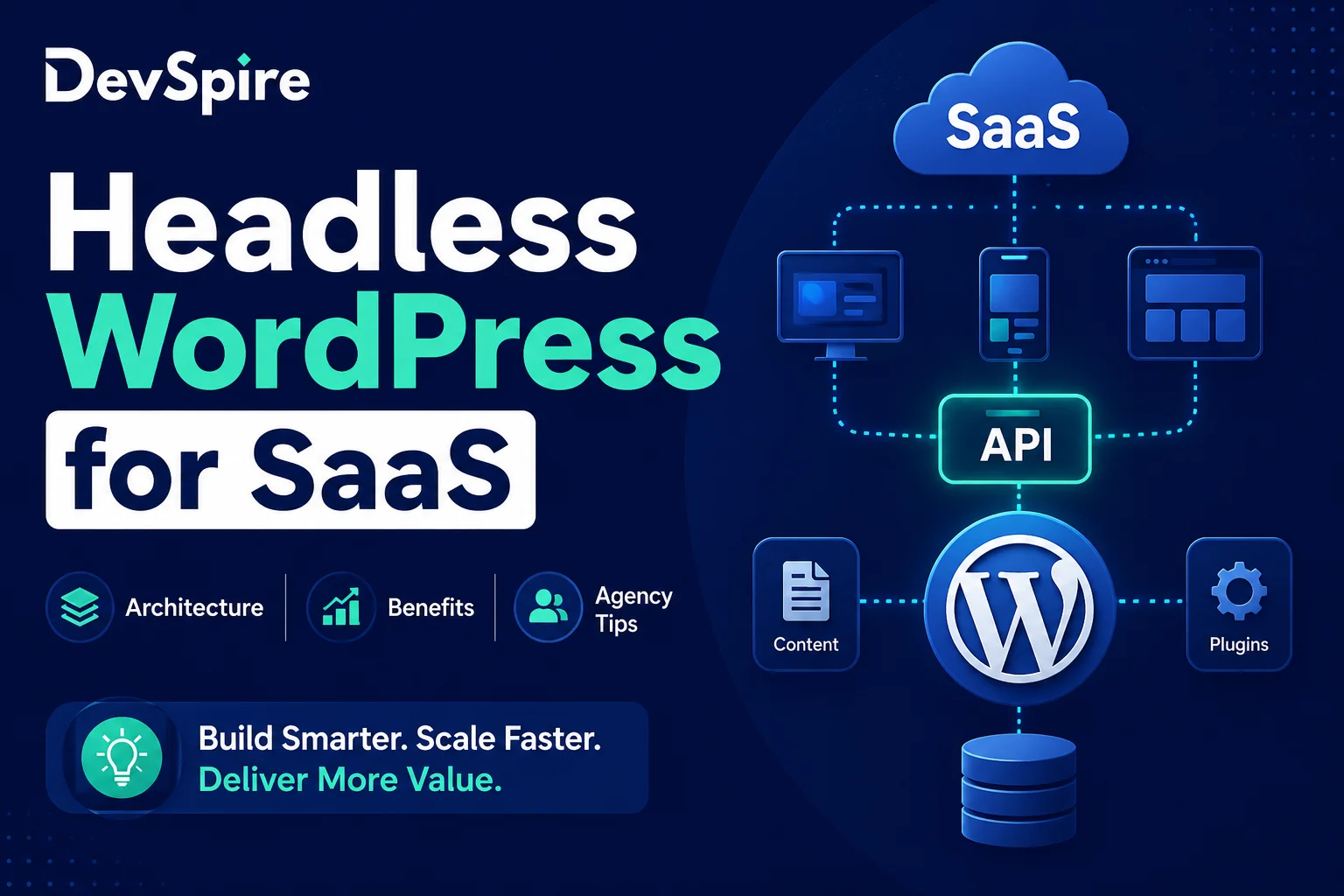
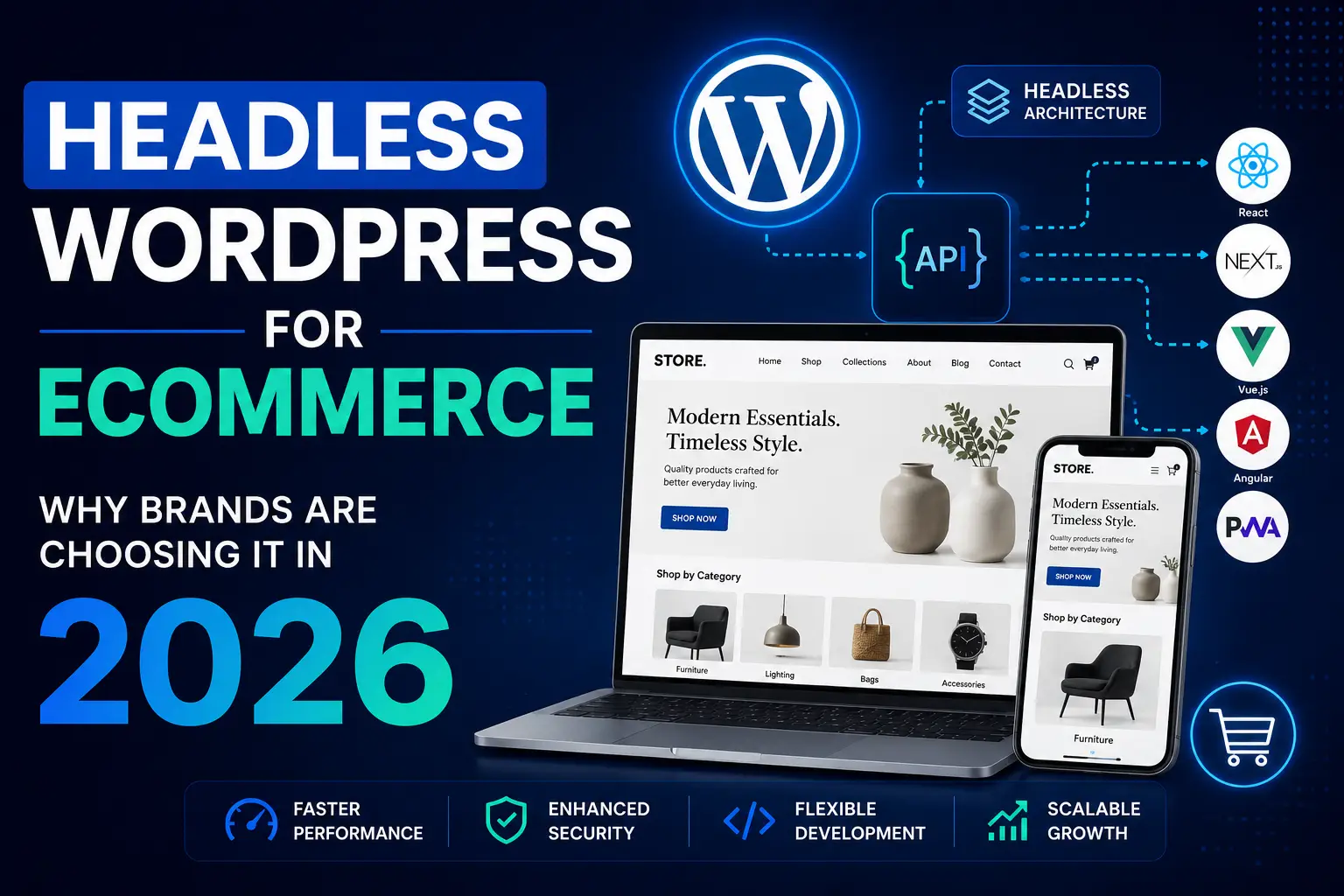
In a headless setup, that connection is cut. WordPress manages content and data, but it doesn’t render pages. It exposes data through a REST API or GraphQL endpoint instead. A separate frontend, usually built in Next.js or Nuxt.js, pulls that data and handles everything users see.
The result is two independent systems that talk to each other. Your content editors still use the WordPress dashboard they already know. Your developers build the frontend however they want, with no theme constraints, no PHP template limitations, no plugin conflicts dragging down page load times.
For ecommerce specifically, this separation matters more than it sounds on paper.
Why Ecommerce Brands Are Moving This Way
Speed is the obvious answer. A Next.js frontend served through a CDN loads faster than a PHP-rendered WordPress page, and for ecommerce, every 100 milliseconds of load time has a measurable effect on conversion rates.
But the more interesting reason brands are going headless in 2026 is channel flexibility. An ecommerce brand today might run a web store, a mobile app, a PWA, a kiosk at a physical retail location, and maybe a voice commerce integration. In a traditional WordPress setup, you’re rebuilding content and logic for every single one of those. In a headless setup, WordPress is the single source of truth. Every channel pulls from the same API.
Your team manages one content system instead of four or five. Product updates, pricing changes, and inventory syncs all go through one place, and every channel reflects them immediately. For brands scaling across markets or device types, that alone is worth a serious look.
The WooCommerce Angle
A lot of businesses already have WooCommerce stores that work fine on the backend. Product management, order processing, and payment integrations are configured exactly the way they want. The frontend is what’s causing problems.
Headless WooCommerce lets you keep all of that and replace only what users see. You expose WooCommerce data through the REST API, build a custom frontend in a modern JavaScript framework, and get the performance benefits without migrating your entire store to a new platform.
This works particularly well for brands that have spent years configuring WooCommerce. Rebuilding all of that logic in Shopify or BigCommerce is expensive, risky, and often produces a store that works slightly worse than what you already had. Going headless means keeping the engine and replacing the body. Our headless wordpress development services covers how we typically scope these projects and what’s involved in the migration process.
What This Means for SEO
This is where people get nervous. The assumption is that JavaScript-heavy frontends are bad for SEO. That was a legitimate concern a few years ago when Googlebot wasn’t reliable at rendering JavaScript. It’s less of an issue now, but not zero.
The right headless setup uses server side rendering or static site generation. Pages are pre-built and served as HTML, not rendered in the browser at request time. Googlebot gets clean HTML the same way it would from a traditional WordPress site.
Where headless genuinely helps SEO is Core Web Vitals. LCP, CLS, and INP scores on a well-built Next.js frontend are consistently better than on most WooCommerce stores that have accumulated plugins over several years. Better Core Web Vitals, faster page loads, and cleaner structured data all work in your favor with how Google currently ranks ecommerce pages. The technical SEO foundations that sit underneath a headless architecture overlap a lot with what’s covered in how to get your website on Google’s first page.
The Developer Experience Piece
If you have a development team, headless changes their day-to-day in ways that matter for the business, not just for them.
Frontend developers work in their own stack without touching WordPress. Content teams update products and pages without worrying about breaking a theme. You can deploy the frontend independently, roll back changes without affecting content, and run A/B tests at the component level without needing a plugin.
For growing brands, this separation means faster iteration. You’re not waiting on one developer to make a change that touches both the PHP backend and the CSS. Teams can work in parallel, and deployments stop being events that make everyone nervous.
It also reduces plugin dependency. A major source of performance problems in mature WooCommerce stores is plugin bloat. Headless removes most of that from the frontend layer entirely.
When It Makes Sense and When It Doesn’t
Headless is not the right call for every ecommerce store. If you’re running a small catalog, don’t have development resources, and your current site performs fine, the added complexity isn’t worth introducing.
It makes more sense when you’re hitting performance ceilings on your current stack, when you need to serve content across multiple channels or platforms, when you’re planning significant custom functionality that no existing theme can support, or when your WooCommerce backend is solid but the frontend is what’s creating the bottleneck.
Choosing the right partner matters here too. Headless WooCommerce migrations involve architecture decisions early on, especially around how cart state and checkout flow get handled between WooCommerce and the frontend, that affect everything downstream. A quick read through top technical SEO agencies in 2026 is useful when evaluating what technical depth to look for in whoever you work with.
What Migration Usually Looks Like
Most headless migrations don’t happen all at once. The typical pattern is incremental: start with the highest-traffic pages, usually the homepage and product listing pages, move those to the headless frontend first, and keep the rest of the store on the traditional setup while results are validated.
This reduces risk considerably. You’re not flipping a switch and hoping. You’re validating performance improvements and conversion rates on a portion of traffic before committing the full store. If something needs to be adjusted, you catch it on 20% of pages instead of 100%.
The WordPress backend stays in place throughout. Your content team doesn’t need to learn a new system or migrate years of product data. That continuity matters a lot for stores with large catalogs or complex taxonomy structures.
Choosing the Right Frontend Stack
Next.js is the most common choice for headless WooCommerce right now. Strong SSR and SSG support, a solid ecosystem of WooCommerce integrations, and Vercel’s deployment infrastructure is straightforward to work with. Nuxt.js is a reasonable alternative if your team is more comfortable in Vue.
What matters more than framework choice is getting the data layer strategy right from the start: how product data, cart state, user sessions, and checkout flow get handled between WooCommerce and the frontend. That’s where most headless projects run into trouble, and retrofitting those decisions after launch is much harder than making them upfront.