
A US SaaS company hires a WordPress agency. Good reviews, clean portfolio, confident yes when asked about headless. Six months and $45,000 later, the frontend breaks on mobile, Google can’t crawl half the pages, and the agency’s lead developer has quietly left the company. Nobody mentioned that their “headless experience” was one project from 2022 that never shipped.
This is not rare. It happens because headless WordPress looks deceptively simple from the outside — WordPress on the backend, a JavaScript framework on the frontend, API in the middle. What’s hidden is the technical gap between agencies that actually know this stack and agencies that have read about it.
DevSpire has been building WordPress-based web products for US technology companies — from custom WordPress development services through to fully decoupled headless builds. This guide is what we tell clients before they sign with any agency, including us.
It covers the seven things worth checking, the red flags worth walking away over, what the work actually costs, and the questions that cut through the noise on any agency vetting call.
What makes headless WordPress agency work different
The backend stays WordPress. The frontend does not.
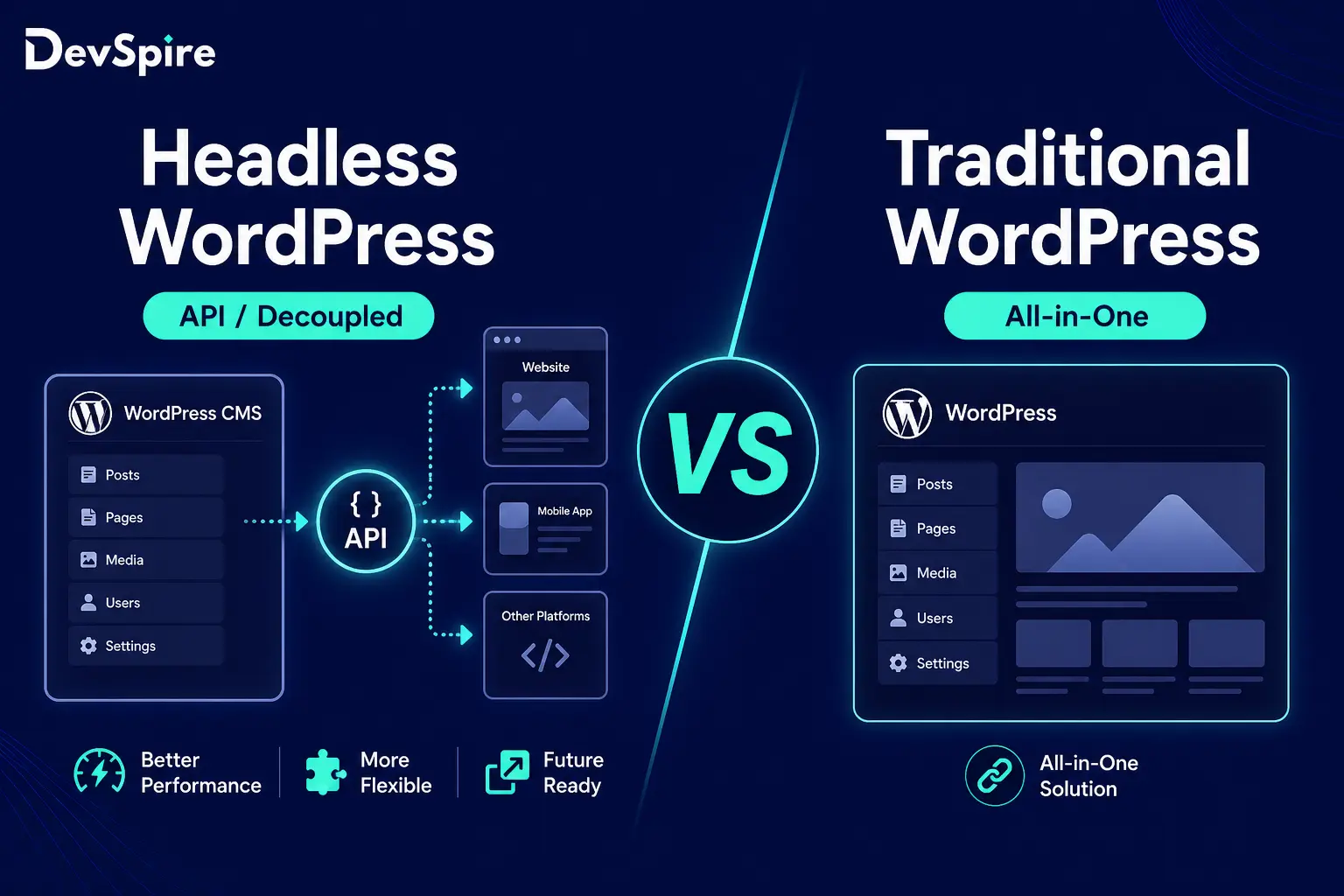
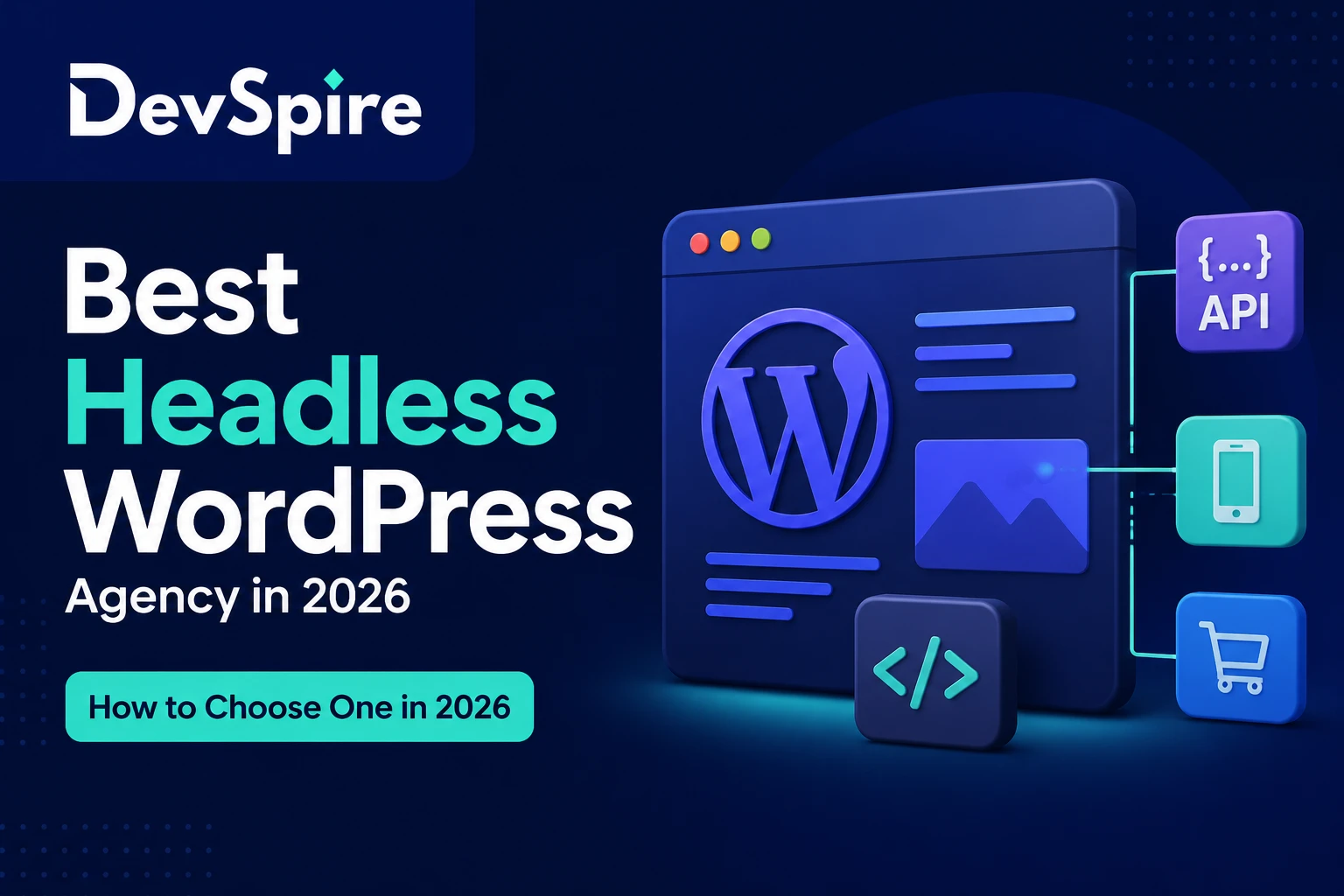
Traditional WordPress is one system — PHP renders the HTML, the theme controls the layout, WordPress and the browser talk directly. Headless splits that apart. WordPress runs on a server, handles your content and editorial workflow, and communicates through an API. The frontend is a completely separate application — usually Next.js — that fetches content from WordPress and renders it independently.
The two common API options are the WordPress REST API (built in, no setup) and WPGraphQL (a plugin that exposes your content via GraphQL queries). WPGraphQL is more efficient for complex content models — one query can pull everything the page needs instead of several REST calls — but it’s an extra dependency. For simpler builds, REST is fine.
Why most WordPress agencies can’t actually do this
Backend WordPress development is PHP, MySQL, custom post types, and the plugin ecosystem. A capable traditional WP developer knows that world well.
Headless requires all of that plus React or Next.js, server-side rendering vs static generation decisions, API schema design, separate deployment pipelines (Vercel or Netlify for the frontend, WP Engine or Cloudways for the backend), and — the one that wrecks the most projects — a specific SEO configuration process that doesn’t exist in traditional WordPress builds.
In traditional WordPress, Yoast or RankMath handle title tags, meta descriptions, Open Graph data, and sitemaps. Install the plugin, configure it, done. In headless, your frontend framework has no idea what Yoast is. You have to query that SEO data explicitly via GraphQL or REST, pass it to your Next.js component, and inject it server-side on every page request. Agencies that skip this step ship sites that look fine to users and are nearly invisible to Google.
That SEO-in-headless problem is exactly what our headless WordPress development service was built around — discovery, API schema, SEO config, and deployment are all defined phases before a line of frontend code is written.
The three ways this goes wrong when companies hire the wrong agency
- Hiring a traditional WP agency that upsells headless. They say yes because they want the project. The developer assigned to it has read the documentation but has never shipped a production headless build. You discover this around week eight.
- No SEO plan before the build starts. Treated as a post-launch task. By the time the site is live, fixing it means rewriting how the frontend fetches and renders content. Expensive and slow.
- No API schema definition before writing code. Frontend and backend teams make separate assumptions about what data is available. The mismatches surface three weeks before launch.
7 things to check before you hire a headless WordPress agency
Every point below came from conversations with technical founders and CTOs who have been through headless builds — both the ones that worked and the expensive ones that didn’t.
Can they show you actual WPGraphQL or REST API schemas from past work?
Not a case study page, not a client logo on a slide — an actual query schema or API structure from a project they shipped. Any agency with real headless experience has these. If they say the work is proprietary, that’s fine, but ask them to walk through the approach on a call. Real experience holds up under that kind of conversation.
What frontend framework do they build in, and why that one?
Next.js is the right answer for most headless WordPress builds in 2026 — it has the best WordPress ecosystem integration, supports server-side rendering and static generation in the same project, and the Vercel deployment pipeline is well-documented. An agency that defaults to something else isn’t automatically wrong, but they should explain the trade-off clearly. ‘We use React’ without specifying the rendering approach is a sign they haven’t thought through the performance architecture.
Do they have a defined SEO configuration process for headless?
Ask this out loud: ‘Walk me through how you handle meta titles, meta descriptions, and Open Graph data in a decoupled WordPress setup.’ The correct answer is: query that data from Yoast or RankMath via WPGraphQL or REST, pass it as props to Next.js, inject it server-side on every public page. If the answer is ‘we’ll handle SEO after launch’ or ‘the WordPress plugin handles it’ — that agency does not understand headless SEO.
How do they handle plugin compatibility in headless mode?
Dozens of popular WordPress plugins only work in traditional mode because they inject PHP-rendered HTML into the page template. In headless, there’s no page template on the WordPress side. Plugins for forms, WooCommerce, authentication, and popups all need custom API workarounds. Ask them specifically how they handle forms and e-commerce. Vague answers here mean expensive surprises mid-project.
What does their staging and deployment pipeline look like?
Git-based version control, a staging environment that mirrors production, QA before anything goes live. Ask directly: ‘Does code ever go straight to production?’ The answer should be no. If they hesitate or say ‘sometimes for small fixes,’ that’s how you end up with a broken homepage on a Tuesday morning.
Can they architect the full hosting setup?
A headless WordPress project needs two hosting environments: the WP backend (WP Engine, Cloudways, Kinsta) and the JavaScript frontend (Vercel, Netlify, Cloudflare Pages). A capable agency helps you choose both, sets up the deployment pipeline connecting them, and handles how the API communication between them is configured. An agency that says ‘we’ll figure out hosting later’ hasn’t thought through the architecture yet.
Do they price by feature scope, not hourly?
Headless projects scoped by the hour almost always run over. The integration complexity is genuinely hard to estimate, and hourly contracts put all cost risk on the client. Look for milestone-based or feature-scoped pricing. If an agency quotes you an hourly rate and says they’ll estimate total hours, ask for a written cap. If they won’t give you one, that tells you something.
5 red flags worth walking away over
They can’t explain the WPGraphQL vs REST API trade-off
There’s a concrete right answer here. REST is built into WordPress with no setup, simpler to start with, well-documented, but requires multiple requests for complex page data. WPGraphQL lets you pull everything you need in a single query and is better for complex content models — but it’s a plugin dependency and the learning curve is steeper if your team doesn’t know GraphQL yet.
An agency that has actually shipped headless WordPress projects knows this. If the answer is vague, or they treat the two as interchangeable, they haven’t made this decision in production.
Their headless portfolio is Elementor with a fast theme
Some agencies list ‘headless WordPress’ as a service and link to traditional WordPress sites built with page builders. Aggressive caching and a light theme can make a traditional site look fast — it is not the same architecture. Ask to see the deployment URL for the frontend application, separate from the WordPress admin. There should be a distinct codebase. If there isn’t, there’s no headless project to show you.
SEO isn’t mentioned anywhere in their build process
Already covered above, but worth saying plainly: if you see an agency present their headless development process and SEO configuration is not explicitly addressed as a build phase, ask the question directly. The answer tells you whether they understand what they’re selling.
They recommend headless for a 5-page marketing site
An agency that pushes headless on every project is selling a technology preference, not solving your problem. Headless makes sense for large content sites, SaaS platforms, e-commerce at scale, and projects that need to deliver content across multiple channels. For a brochure site with five pages and a contact form, traditional WordPress with good hosting is faster, cheaper, and performs just as well.
An agency that tells you honestly when headless is overkill is more worth trusting when they tell you it isn’t.
No discovery or API schema phase before they start coding
Headless projects without a defined discovery phase hit integration problems mid-build, reliably. A serious agency starts by mapping your content model, defining what data the frontend needs and how it queries it, and locking the API schema before writing frontend code. If their sales process goes straight from ‘sounds great’ to ‘we’ll start next Monday,’ ask what happens in the first two weeks. If the answer is ‘we start building,’ that’s a problem.
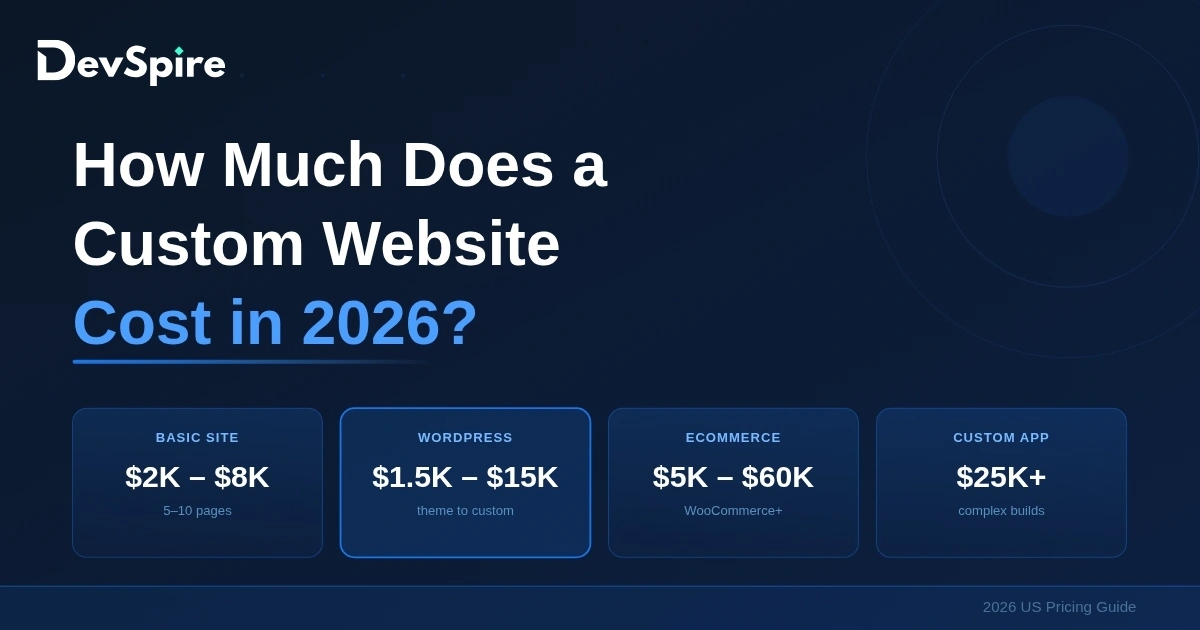
What headless WordPress actually costs in 2026
Cost ranges by project type, US market
- Small marketing site (10–25 pages, Next.js + WPGraphQL, basic SEO config): $8,000 – $20,000
- Mid-size content site (50–150 pages, custom content model, WooCommerce or forms): $20,000 – $50,000
- Complex platform (multi-region, e-commerce, API integrations, multi-language): $60,000+
Headless adds roughly 20–40% to the cost of an equivalent traditional WordPress build. That’s real — a separate frontend application, a configured deployment pipeline, and proper SEO setup all take time. The question is whether the benefits of the architecture justify that cost for your specific project.
US-focused agencies vs offshore — what actually matters
For the engineering itself, location matters less than experience. But headless projects have phases where being in the same timezone makes a real difference: discovery workshops, content model definition, stakeholder review of the API schema, editorial training after launch. Coordination overhead on a 10-page site is manageable across time zones. On a 100-page content platform with multiple internal stakeholders, it adds up fast.
The failure point in offshore headless projects is rarely code quality. It’s coordination on the integration-heavy phases and SEO configuration, both of which require tight feedback loops with the client. A hybrid model — US-facing project direction with skilled development execution — tends to give the best cost-to-reliability ratio on mid-to-large builds.
When headless is actually the right call
If you’re still deciding whether to go this route at all, the headless vs traditional WordPress comparison covers the architecture trade-offs in plain language. But here’s the short version of when headless genuinely makes sense.
- You need to deliver content across multiple channels — web, mobile app, IoT displays — from one CMS
- Your frontend performance requirements are beyond what traditional WordPress can deliver at your traffic level
- You have a complex content model where a JavaScript-first frontend is genuinely the right architectural choice
- Your team has the technical capacity to maintain a decoupled system post-launch
If none of those apply — if you want a fast marketing site or a standard e-commerce store — traditional WordPress with a well-chosen theme and quality managed hosting gets you 90% of the result at 50% of the cost.
10 questions to ask on the agency vetting call
The answers matter less than the quality of thinking behind them. An agency that says ‘it depends’ and then explains why is better than one with a rehearsed answer.
- What’s your preferred frontend framework for headless WordPress, and why that one specifically?
- Walk me through how you handle meta titles, meta descriptions, and Open Graph data in a decoupled setup.
- Can you show me a WPGraphQL schema or REST API structure from a past headless project?
- What hosting setup do you recommend for the WordPress backend and frontend separately?
- How do you handle forms, WooCommerce, or authentication plugins in headless mode?
- What does your staging and deployment pipeline look like — does code ever go directly to production?
- How do you scope and price headless projects?
- What does post-launch maintenance cover?
- Can I speak with a client specifically about a headless build your team completed?
- When would you tell a client NOT to go headless?
The last one is the most useful filter. An agency that talks you out of headless when it doesn’t fit your project is worth trusting when they say it does.
How DevSpire approaches headless WordPress builds
We build headless WordPress projects for US technology companies. Our standard stack is Next.js (App Router), WPGraphQL 2.x, and Vercel for frontend deployment, with the WordPress backend on WP Engine or Cloudways depending on project requirements.
How SEO is handled from day one
SEO configuration is a defined build phase on every project, not a post-launch checklist. RankMath or Yoast data is pulled via WPGraphQL and passed to Next.js as structured page props. Title tags, meta descriptions, Open Graph tags, canonical URLs, Twitter Card data, and JSON-LD schema are all injected server-side on every page request. The WordPress sitemap is configured and submitted to Google Search Console on launch day.
Our process
Discovery first: mapping your content model, defining what data the frontend needs, locking the API schema. Then design, development, QA on staging, and a structured launch checklist. Post-launch, we offer maintenance retainers covering WordPress core updates, plugin compatibility checks, and frontend performance monitoring.
For projects where organic search growth matters alongside the technical build, our WordPress SEO optimization service runs during the development phase — so the on-page SEO foundation is in place at launch rather than retrofitted afterward.