
Most SaaS teams start with a regular WordPress site. It works fine at first. Then the product grows. Pages slow down. The front end gets hard to change. The API support is limited. At some point, someone says “maybe we should go headless.”
That question comes up a lot. And the honest answer is: it depends on what you are building and who is going to manage it. As a website development company, we have helped SaaS teams make this call from both sides. This post lays out what headless WordPress actually is, how different setups compare, and what to watch for before you commit.
What “headless” means in WordPress
In a normal WordPress site, everything runs together. WordPress builds each page using PHP and sends it straight to the browser. The theme controls how it looks. The plugins add features. It is all in one place.
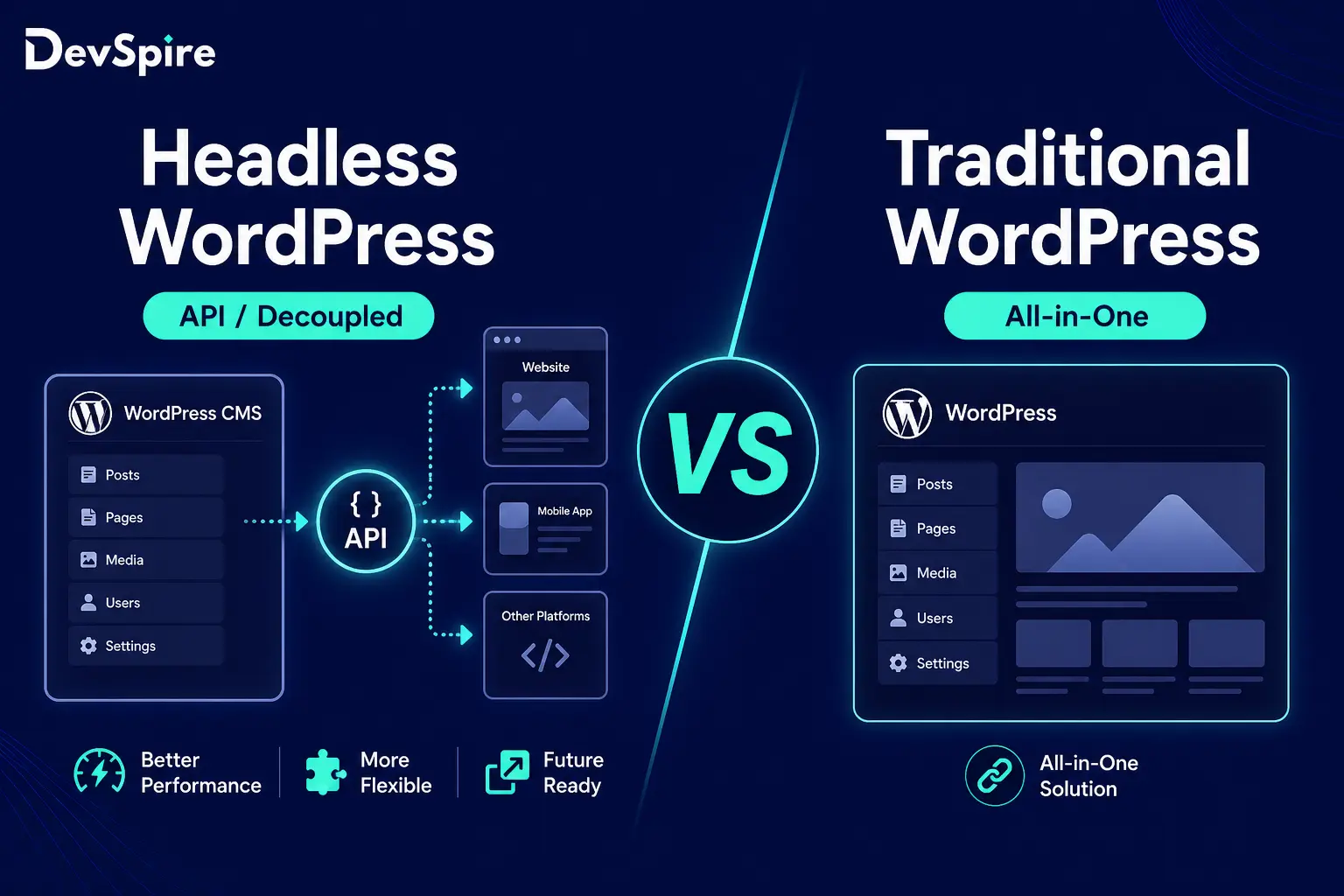
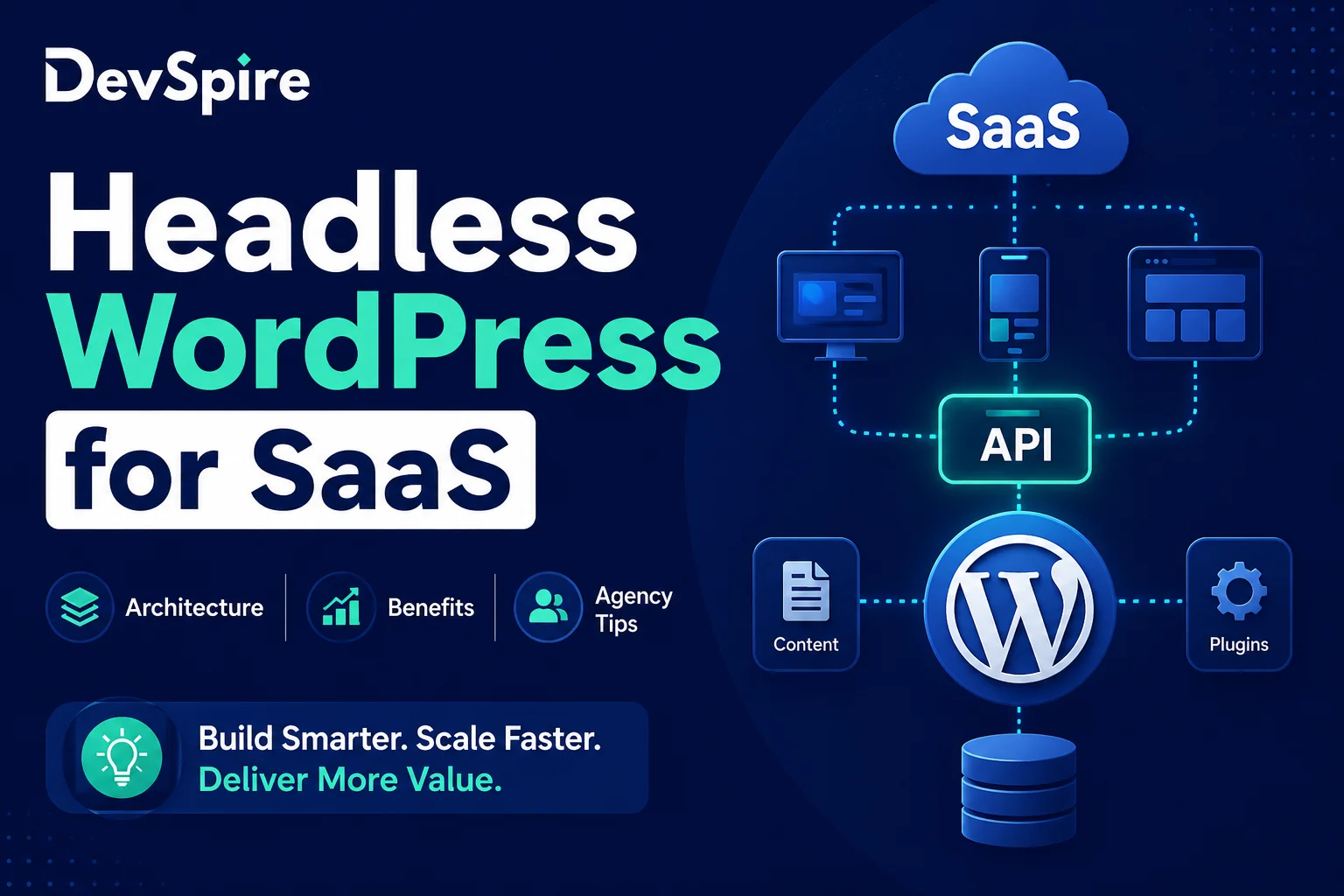
A headless setup splits that apart. WordPress handles content only. It stores pages, posts, and custom fields. A separate front end app, usually built in Next.js or a similar framework, pulls that content through an API and shows it to users.
Think of it this way. WordPress is the kitchen. It prepares everything. The front end is the dining room. It presents everything. They are connected, but they run separately.
This is also where a solid WordPress SEO optimization service becomes important. Going headless changes how WordPress renders pages, which affects how search engines crawl and index your content. That needs to be planned before you build, not fixed after.
| Traditional WordPress | Headless WordPress | |
|---|---|---|
| Front end | Built into WordPress | Separate app |
| How data moves | PHP renders the page | API sends the data |
| Who controls the CMS | WordPress | WordPress |
| Page speed | Depends on server | Faster via CDN |
Three architecture options for SaaS teams
There are three main ways to build a SaaS site on WordPress. Each one has a different trade-off.
1. Traditional WordPress
This is the standard setup. WordPress builds the pages and delivers them. One server, one system, one place to manage everything.
It is easy to launch. Content editors are comfortable with it. Hosting is cheap and widely available.
The problem for SaaS is that you are stuck with what WordPress can do on the front end. Custom UI is hard. Performance gets inconsistent as the site grows. And if your product and your marketing site are on different deployment schedules, that gets messy.
Most WordPress sites in the world still use this setup, which tells you it works for a lot of use cases. Just not every SaaS product.
2. Headless WordPress with REST API
Here, WordPress manages content and delivers it through the built-in REST API. A separate front end app, built in something like React or Next.js, fetches that content and builds the pages.
This gives dev teams real freedom. They can build whatever UI they want without touching WordPress theme files. Content editors still work in the familiar WordPress dashboard.
The trade-off is infrastructure. You now have two things to host, two things to deploy, and two things to monitor. For small teams, that is real extra work.
3. Headless WordPress with WPGraphQL
Same concept as REST, but uses GraphQL instead. The front end sends a specific query and gets back exactly what it asked for, nothing extra.
This matters for performance. REST APIs often return more data than you need. GraphQL returns only what you request. On pages with a lot of content requests, that difference adds up.
The catch: your developers need to know GraphQL. If they do not, this setup adds a learning curve on top of the infrastructure split.
If you are at the stage of evaluating which architecture fits your product, a headless WordPress website development agency can walk through this with you before any code gets written. Getting the architecture right early saves a lot of rework.
| Setup | Speed | Front end freedom | Hard to build? | Easy for editors? |
|---|---|---|---|---|
| Traditional WP | OK | Low | No | Yes |
| Headless + REST | Fast | High | Medium | Yes |
| Headless + GraphQL | Fastest | High | Yes | Yes |
Where headless WordPress actually helps
These are the real benefits. Not theoretical ones.
Speed: The front end loads from a CDN. There is no PHP running on each page request. This makes pages faster, especially on first load. For SaaS marketing pages and onboarding flows, load speed affects conversion rates directly.
Front end freedom: Dev teams build in whatever framework fits the product. No WordPress themes. No block editor constraints. The UI can look and behave exactly how the product needs it to.
One content source, many places: The same WordPress content can feed a web app, a mobile app, and a docs site. Update once, it goes everywhere.
Editors and devs work separately: Content editors work in WordPress on their schedule. Devs deploy front end updates on theirs. Neither team blocks the other.
Smaller attack surface: The WordPress admin is not tied to the front end domain. This reduces some common entry points for attackers. Not a complete security solution, but a real improvement over a traditional setup.
One honest note: headless does not fix a slow WordPress install. If the database is overloaded or the plugins are bloated, the API will be slow too. Headless only moves where the bottleneck is visible. Fix the back end first.
What agencies should think about before recommending headless
This section is for agencies and freelancers. Practical points only.
Check who will manage it after launch
Headless means two systems to maintain. The WordPress back end and the front end app both need updates, monitoring, and occasional fixes. If the client has no in-house developer, this creates ongoing support work that needs to be scoped and priced.
Ask before the project starts: who handles deploys when something breaks at 11pm?
Hosting costs change
You cannot put a headless setup on a standard shared WordPress host. The back end and front end need separate hosting. Vercel and Netlify are common for the front end app. The combined hosting bill is higher than a single traditional WP host. Make sure this is in the budget conversation from day one.
Content editors need live preview
ACF and Gutenberg both work in headless WordPress. But if editors cannot see what their content looks like before they publish, they will be frustrated within a week. Next.js preview mode and Faust.js both solve this. Plan it before launch, not after complaints.
Not every project needs headless
A simple marketing site with a blog does not need a decoupled architecture. Traditional WordPress is cheaper, faster to launch, and easier to hand off. Headless makes sense when the front end and the CMS need to be updated on different schedules, or when the product UI needs real custom work that a WordPress theme cannot deliver.
Knowing when not to recommend headless is just as important as knowing when to use it. When evaluating options, it helps to understand how agencies approach this decision. The factors that go into choosing a headless WordPress development agency cover a lot of the same ground: technical fit, ongoing support, and realistic scoping.
Tools to know
These are the tools that come up most in headless WordPress projects:
- WPGraphQL: adds a GraphQL layer to WordPress
- Faust.js: a full headless framework for WordPress, built by WP Engine
- ACF (Advanced Custom Fields): still the best way to manage custom content types, headless or not
- Next.js: the most common front end framework used with headless WordPress
- Vercel / Netlify: where most teams host the front end app
- Elementor / Bricks Builder: these do not work well in a headless setup. Tell clients early.
If you are comparing agencies for this kind of project, it is worth seeing who is actually current on these tools. A review of the best headless WordPress agencies in 2026 breaks down what to look for technically and operationally.
Is headless WordPress right for your SaaS product?
Here is the short version.
If your SaaS needs a fast, custom front end and WordPress works fine for content management, headless is worth the extra setup cost. If your team is small, your site is simple, or you need to move fast with limited resources, traditional WordPress is the better call.
The right answer depends on your team’s capacity, your content workflow, and how often the front end needs to change on its own schedule.
There is no single correct setup. What matters is being honest about the trade-offs before the build starts, not after launch when changing the architecture is expensive.
If you want a direct conversation about which approach fits your product, DevSpire has worked with both setups across multiple SaaS clients. Reach out and we can look at the specifics together.